

Personal Settings Entrance
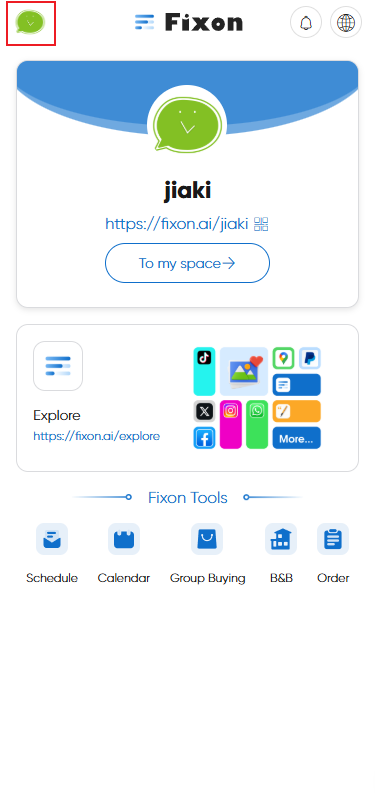
Click the avatar at the top left corner of the homepage to enter Personal Settings.
Change Avatar
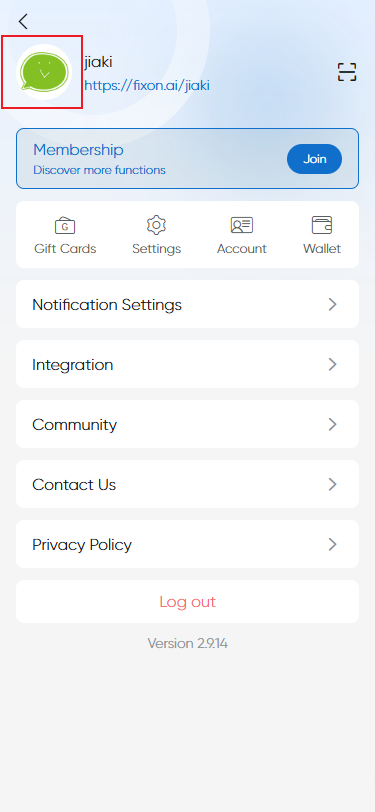
1.Click the avatar at the top left in Personal Settings.
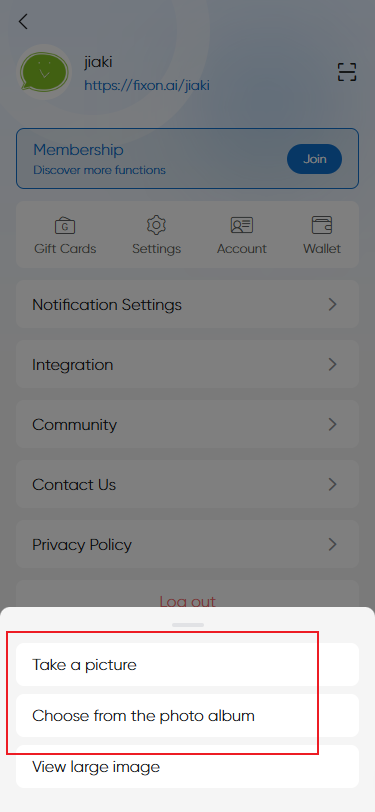
2.In the popup, select "Take a picture" or "Choose from the photo album" to change your avatar.
QR Code Scan Entrance Function
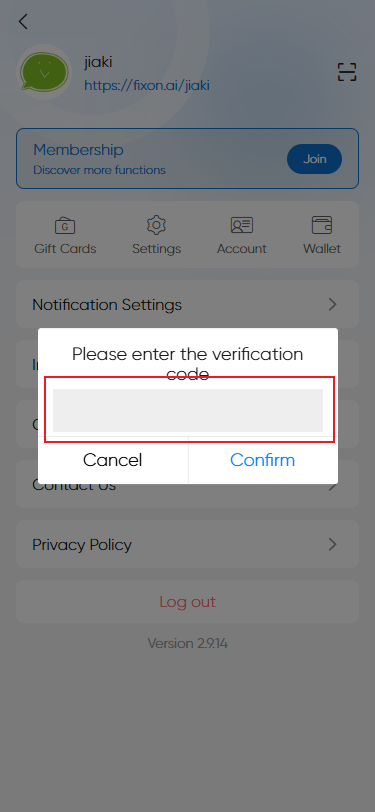
1.Click the QR code scan icon at the top left in Personal Settings.
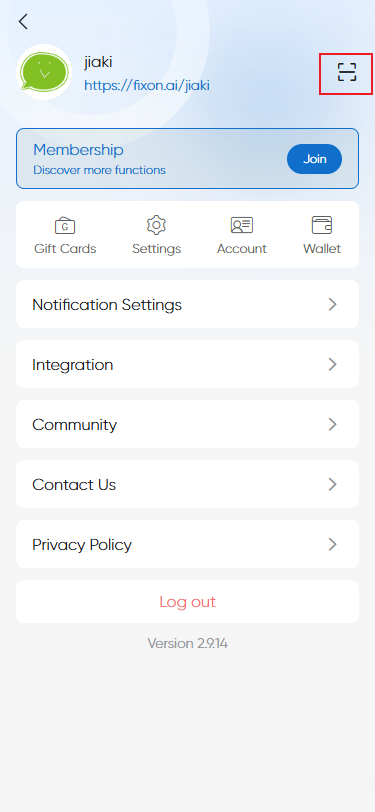
2.Enter the verification code of the product/invitation in the popup input box to redeem it.
Membership Center
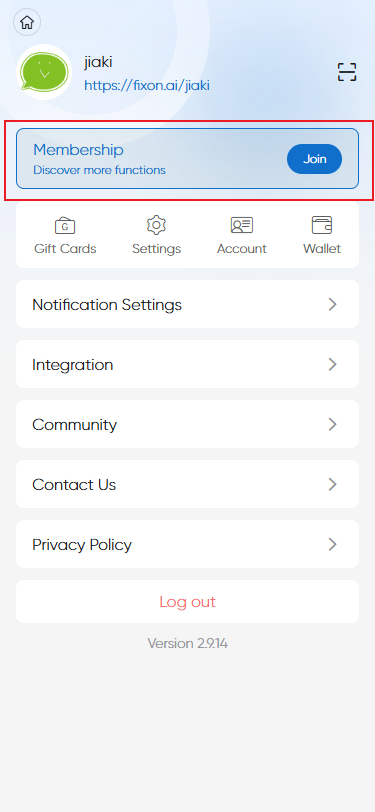
How to check your current membership level?
You can view it directly in the membership section in the middle of the Personal Settings page.
What Features Does the Free Personal Version Have?
Basic Schedules
Mail notice
Event remainder
Create one homepage
Payout
Payment
Temperary event
Join team
After-sales
Standard Features
Enjoy 10+ free benefits and the following
Write-off
SMS notice
Instant remainder
Investigation form
Custom invitation link
Specify
Integration
Sub-page creation
Rename
Danmaku
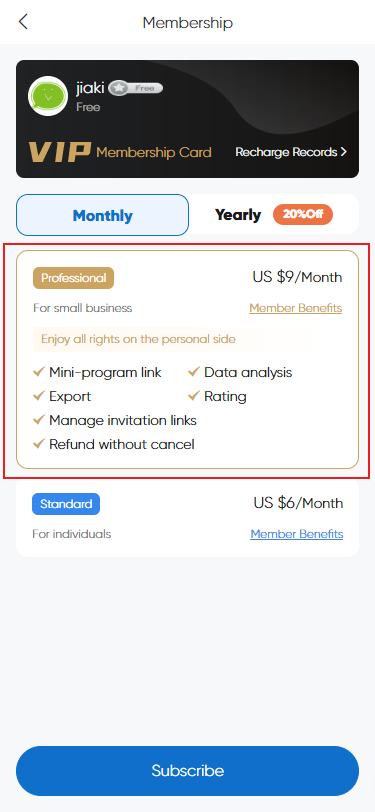
Professional Features
Enjoy all rights on the personal side:
Data analysis
Export
Rating
Manage invitation links
Refund without cancel
【Professional Features users can access any personal-side features on Fixon.】
How to Subscribe to Standard/Professional Membership?
Select the membership version, click “Subscribe,” and complete the payment.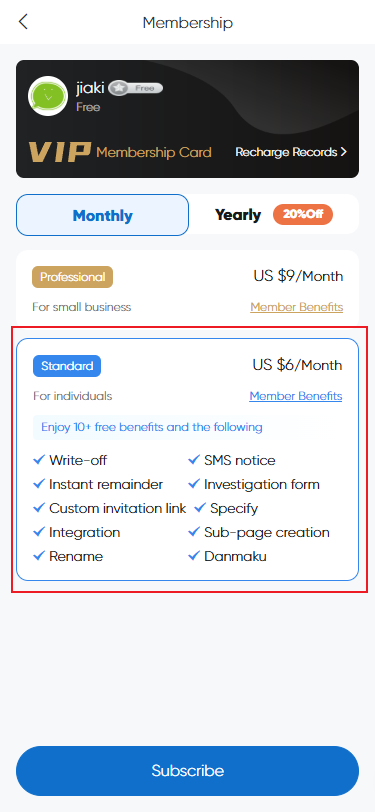
How to Upgrade from Standard to Professional Membership?
After subscribing to the Standard version, to upgrade, select prifessional version, click “Upgrade,” and complete payment.
Can I Get a Refund After Purchasing Membership?
Normally refunds are not supported. However, if a problem caused by us makes the service unusable and we cannot fix it, you may apply for a refund. (Note: All rights of interpretation belong to Fixon official.)
Membership Card Pack
Coming soon...
Settings
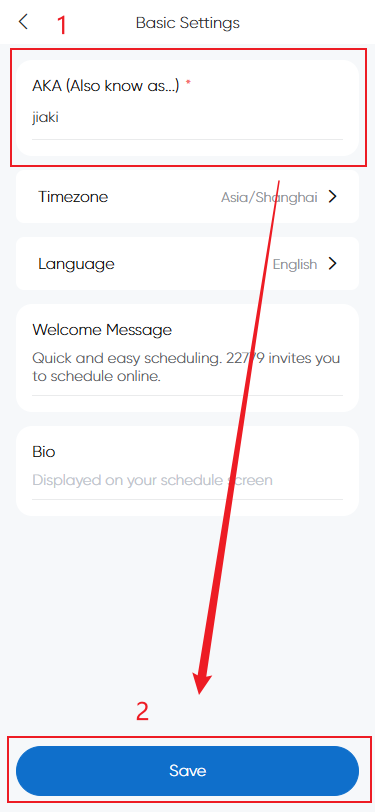
Change AKA
Modify directly, then click Save.
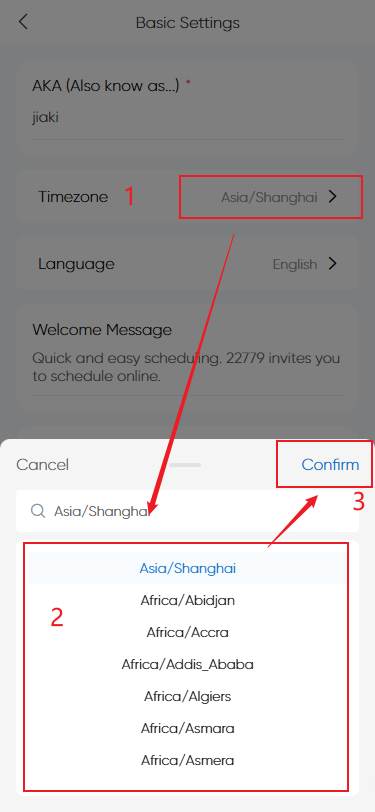
Change time zone
Select the time zone in the popup, then confirm.
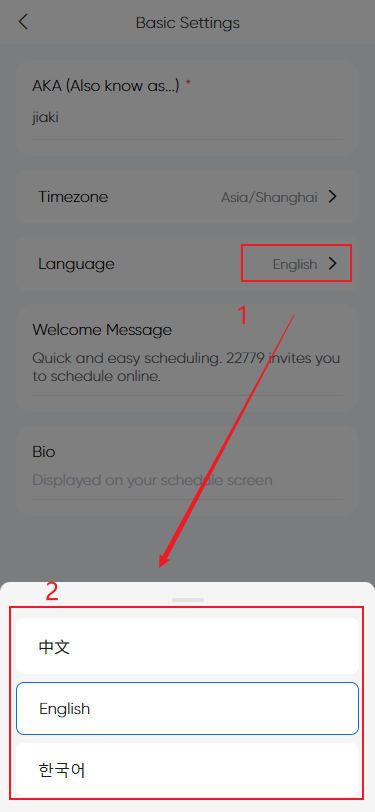
Change language
Choose the language in the popup.
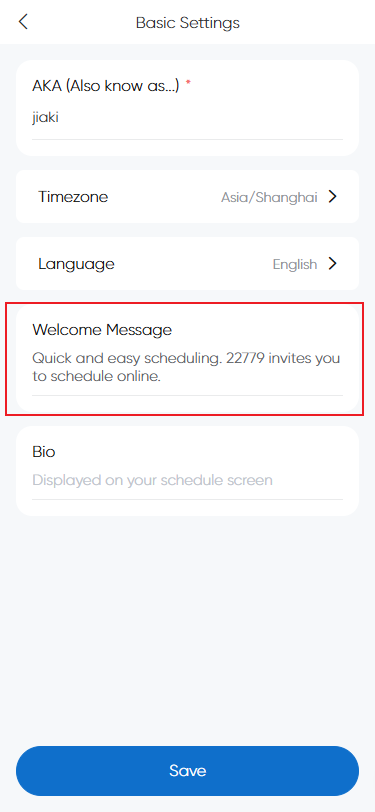
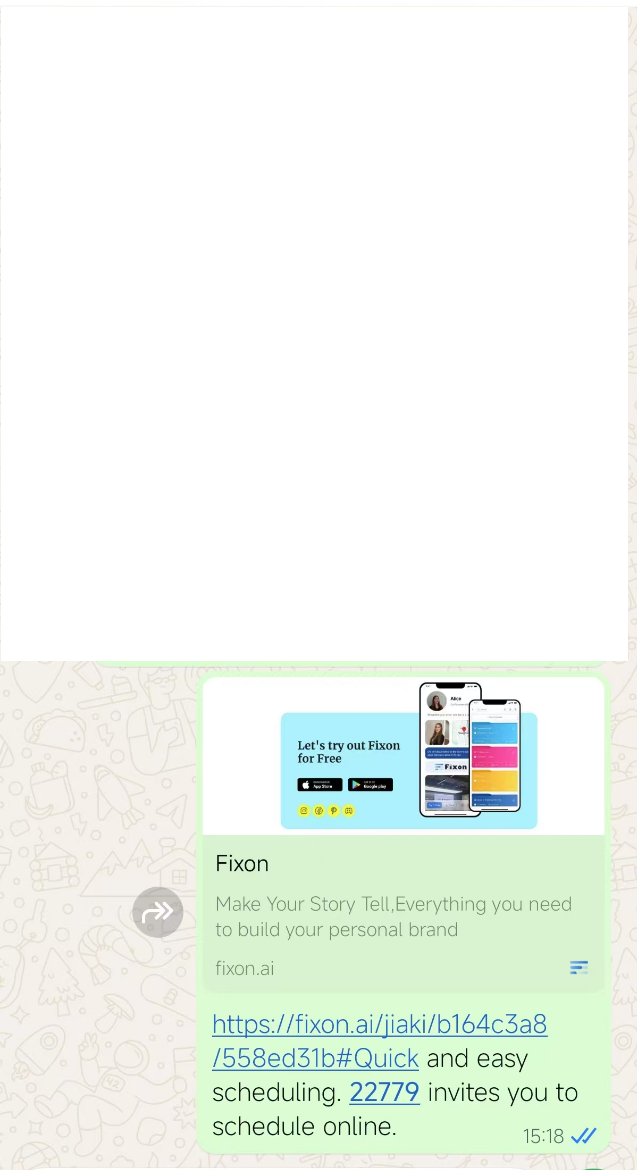
Invitation sharing phrase
Enter and save in the input box; it will appear in shared invitation links.
eg:
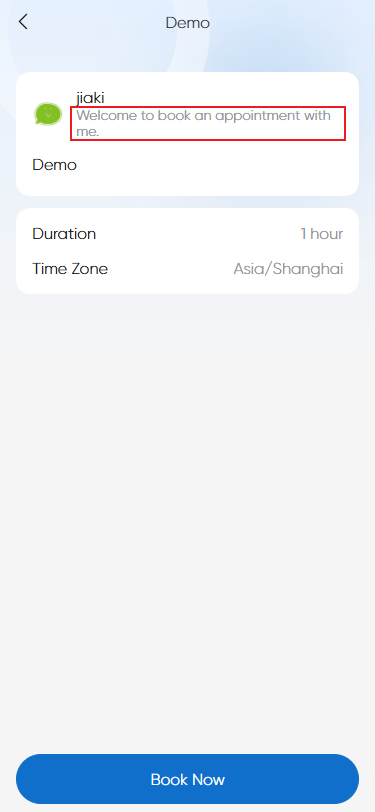
Personal Introduction
Enter and save in the input box; will display on participant page.
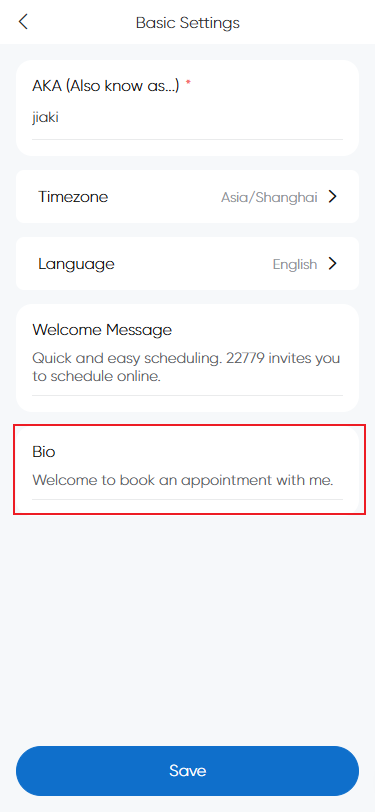
eg:
Account Settings
Change username
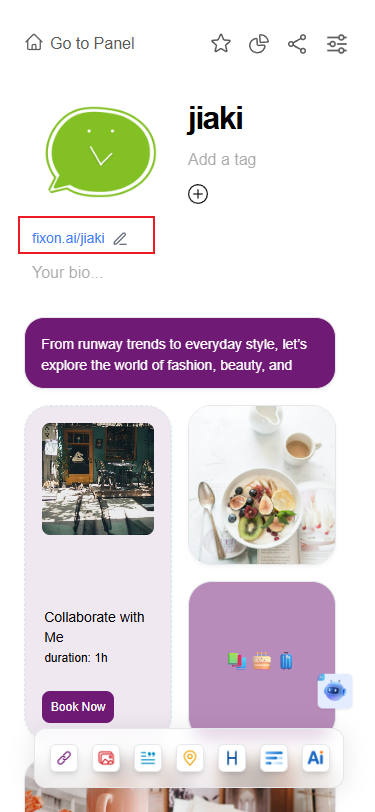
What is username?
The username is the personal homepage link name, see illustration below:
How to change?
1.Click Account Settings
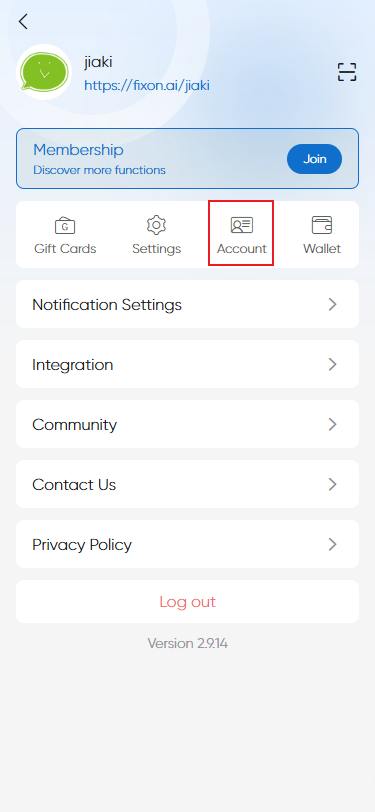
2.Click "Modify" next to Username.
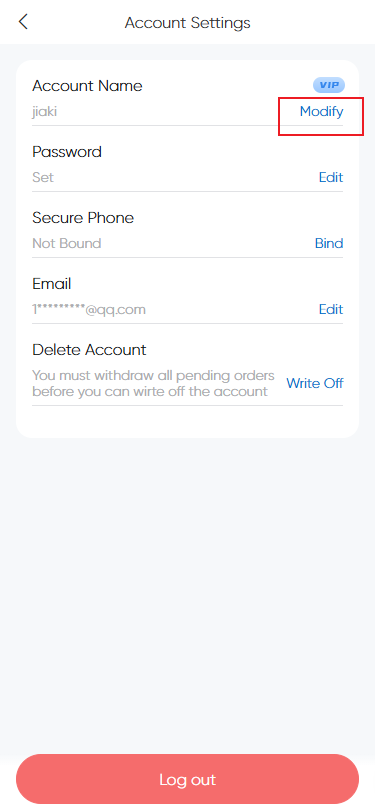
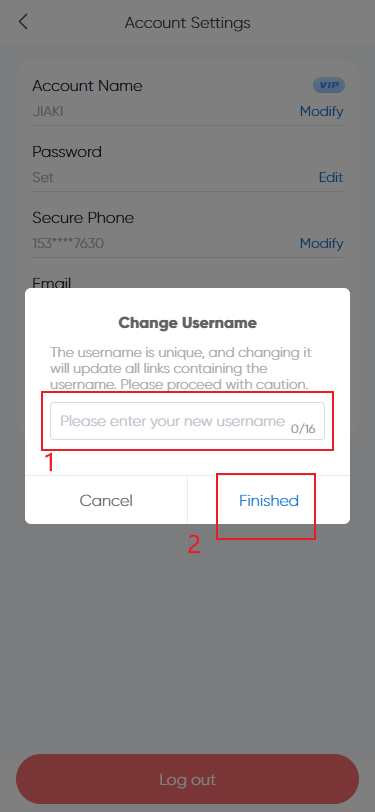
3.Enter a new unique username in the popup (this updates all links with that username, please be cautious).
Change password
1.Click "Edit" next to Password
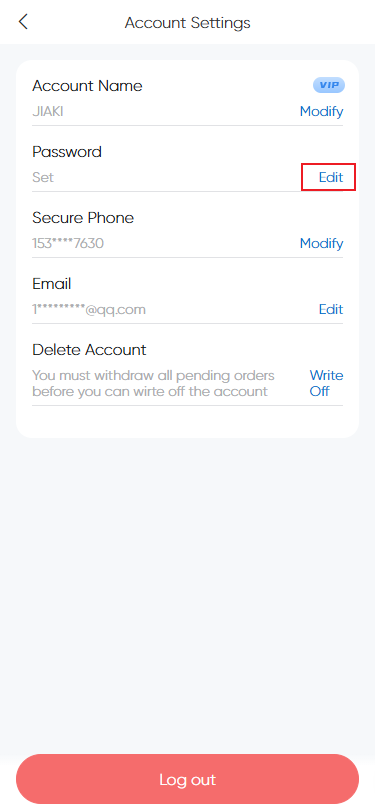
2.Verify identity by receiving a code, then click Next
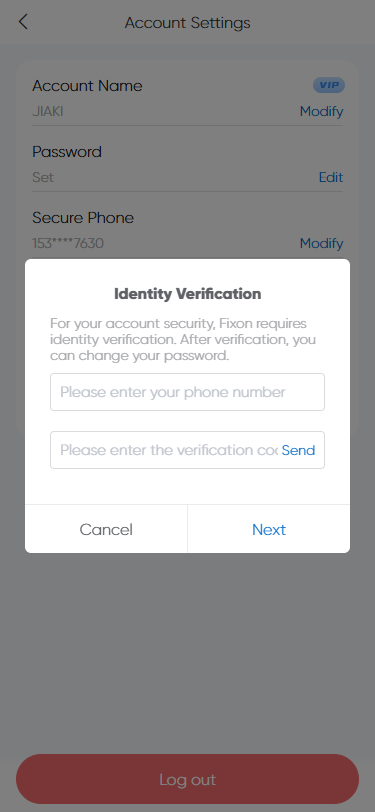
3.Enter new password and finish to use it for login.
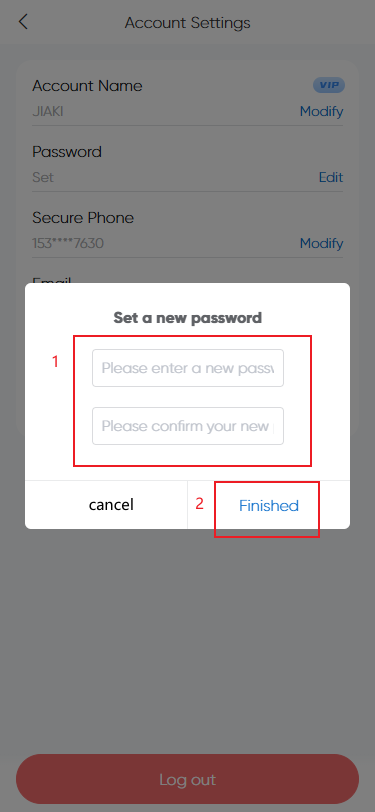
Change security phone number
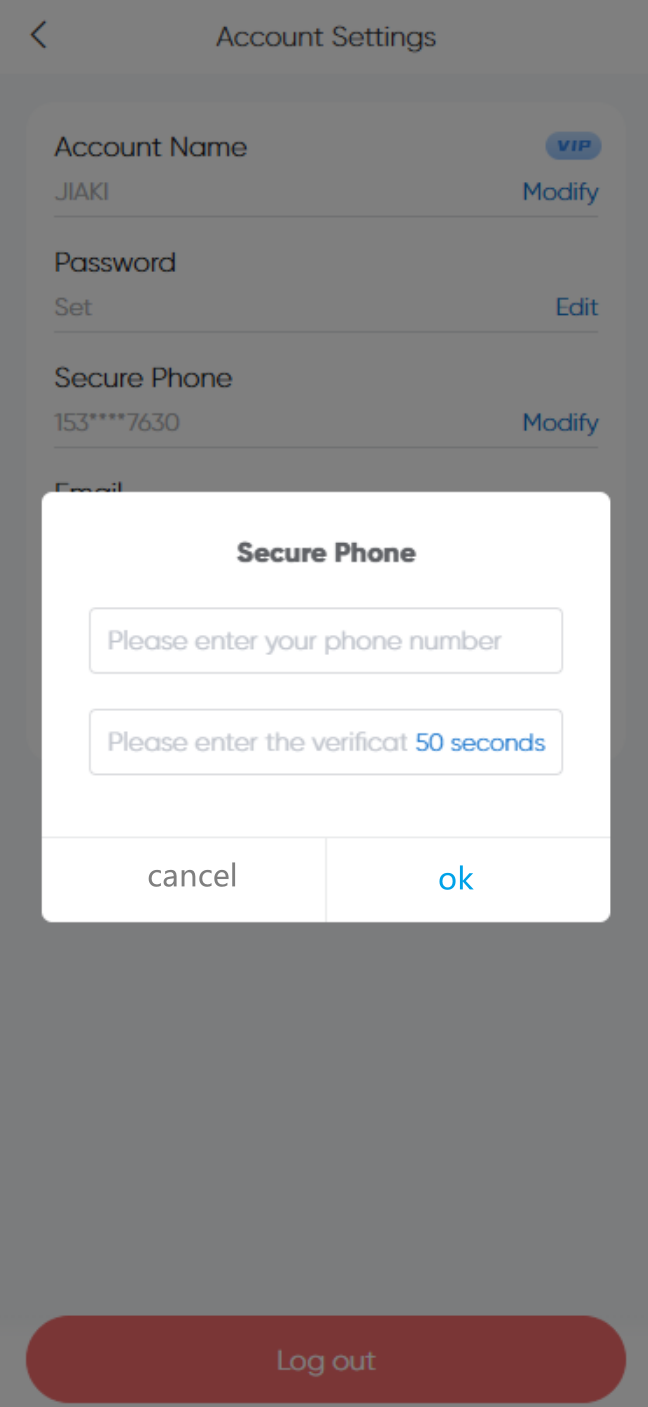
1.Click the "Modify" button behind the "Secure Phone" column.
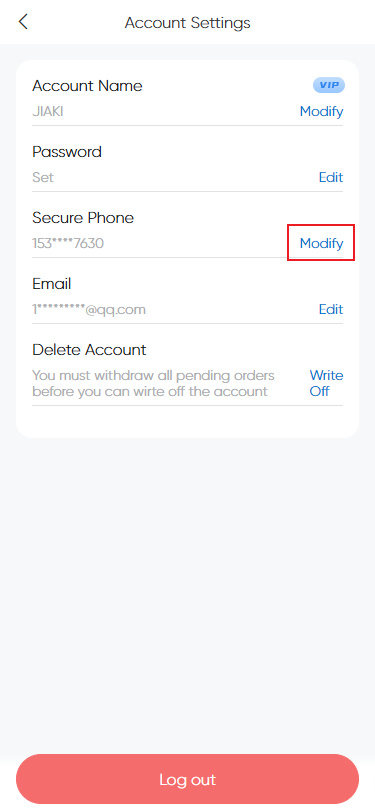
2.Authenticate in the pop-up window, receive the verification code, click "Next"
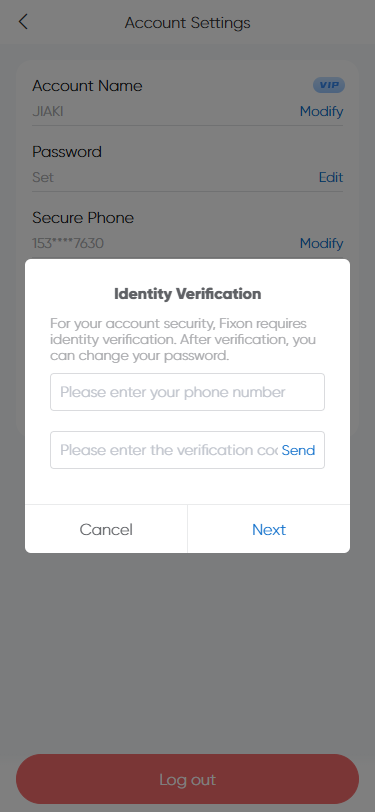
3.Enter the new phone number and receive the verification code for the new phone number to change.
What should I do if my phone number can no longer receive SMS messages?
Contact customer service。[email protected]
Bind/change email account
1.Click on the "Edit" button behind the email account column.
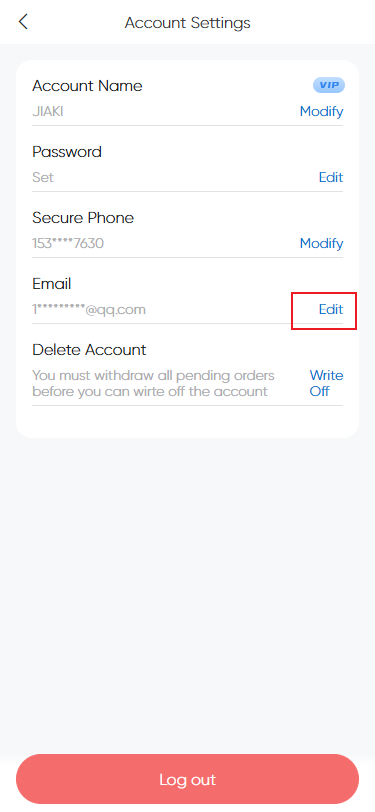
2.In the pop-up, verify your identity, receive the verification code, and click "Next"
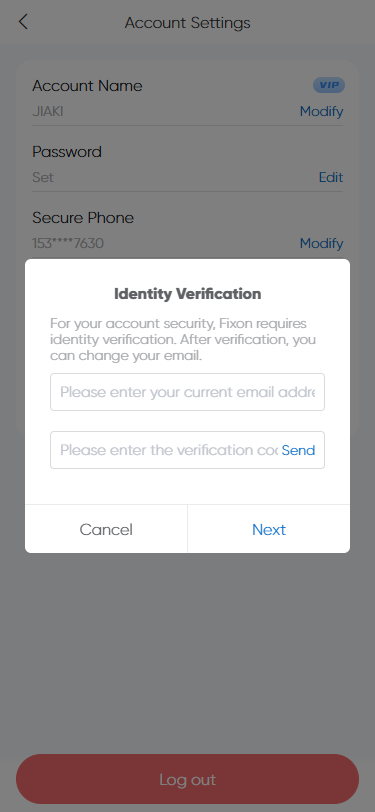
3.Enter a new email address and receive the verification code for the new email to change it
What if the email cannot receive SMS messages anymore?
Contact customer service。[email protected]
Delete account
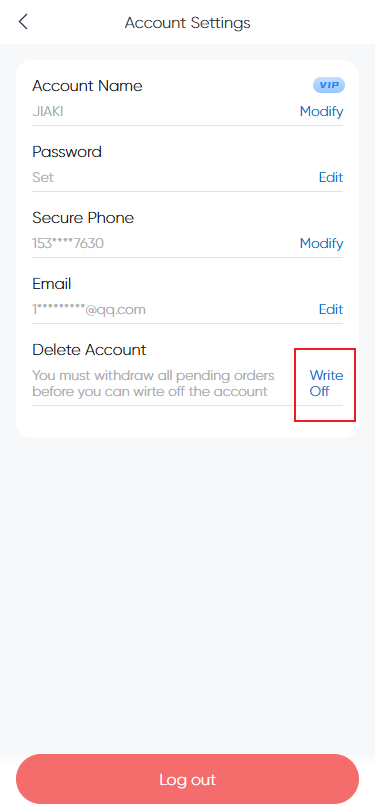
You can click delete (only after all pending withdrawals are completed).
You can re-register if needed after deletion.
You can re-register if needed after deletion.
Income Management
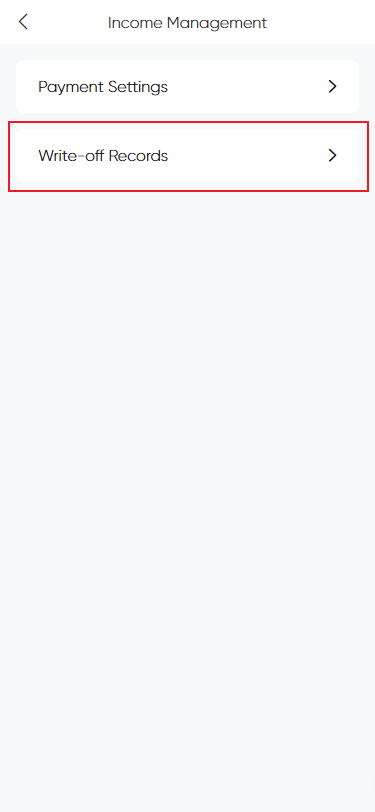
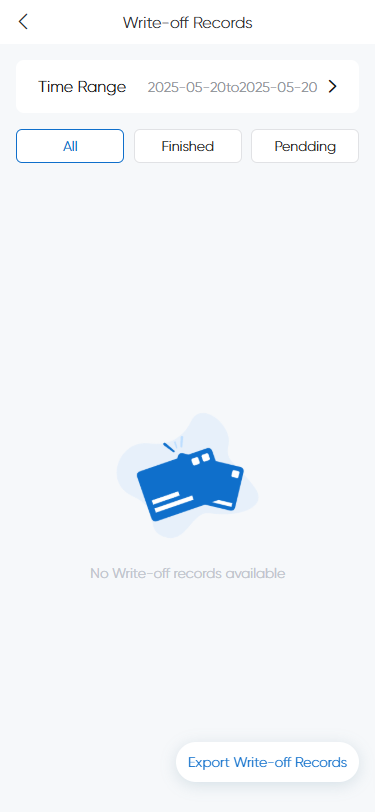
View write-off records
In the "Verification Record" in the payment settings, you can check it out.
Notification Settings
Notification Methods
SMS
Need to bind the phone first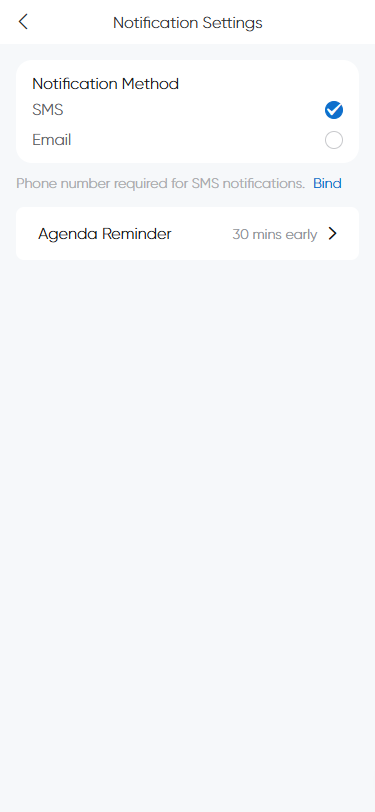
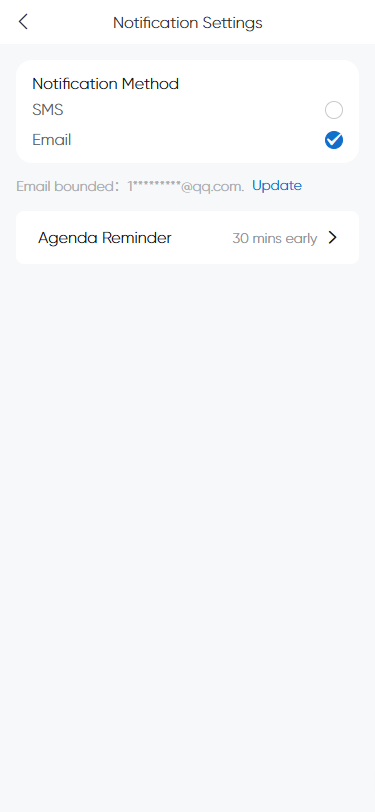
Email notifications
Check the email notification option, and you can change the email address in the "Go Modify" section below.
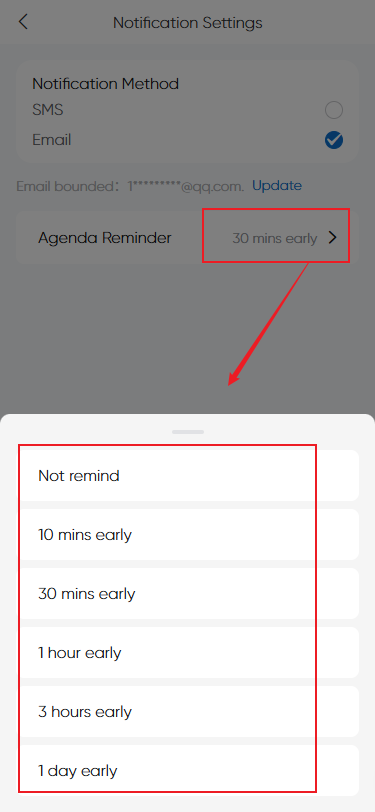
Schedule Reminder
Set reminder time, system sends notification before event via selected notification method.
Integration
How to get your Lark Calendar CalDAV account?
How to get your Ding Talk Calendar CalDAV account?
How to get your iCloud Calendar CalDAV account?
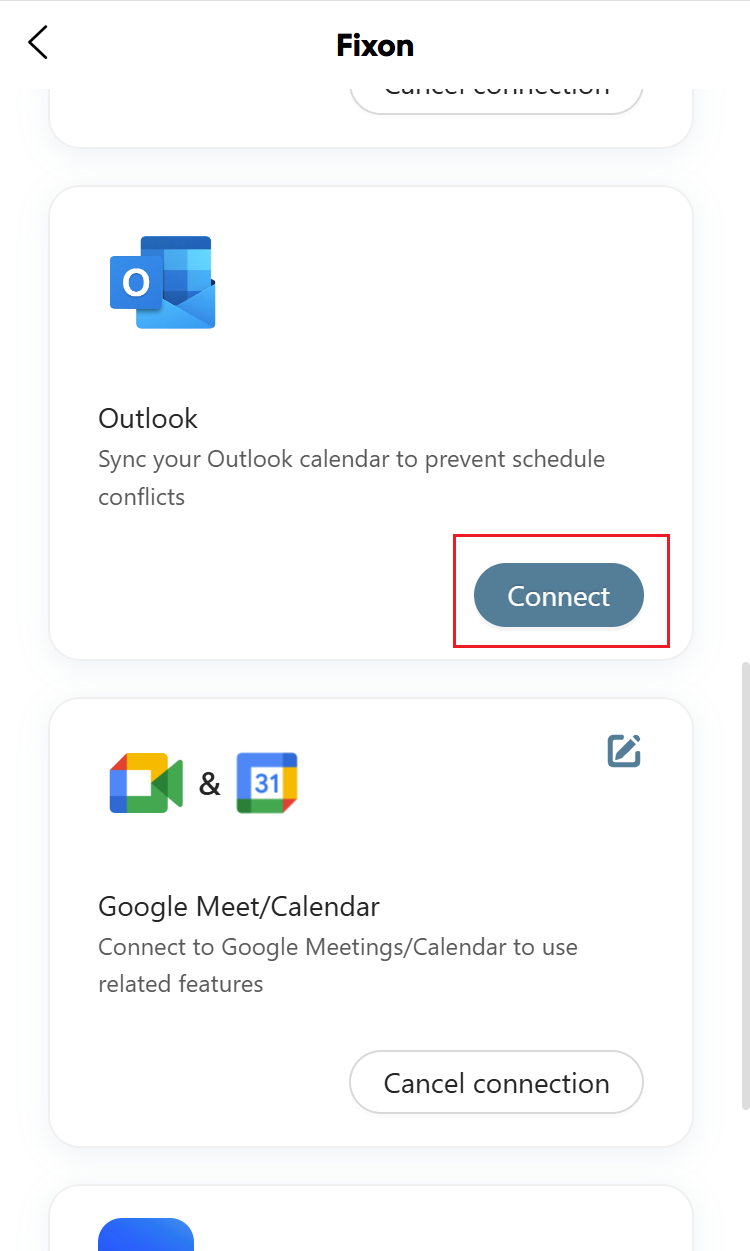
How to connect Outlook?
Click to redirect and complete binding.
How to connect Google Meet/Calendar?
Click button to authorize and bind.
How to connect Zoom Meet?
Click button to authorize and bind.