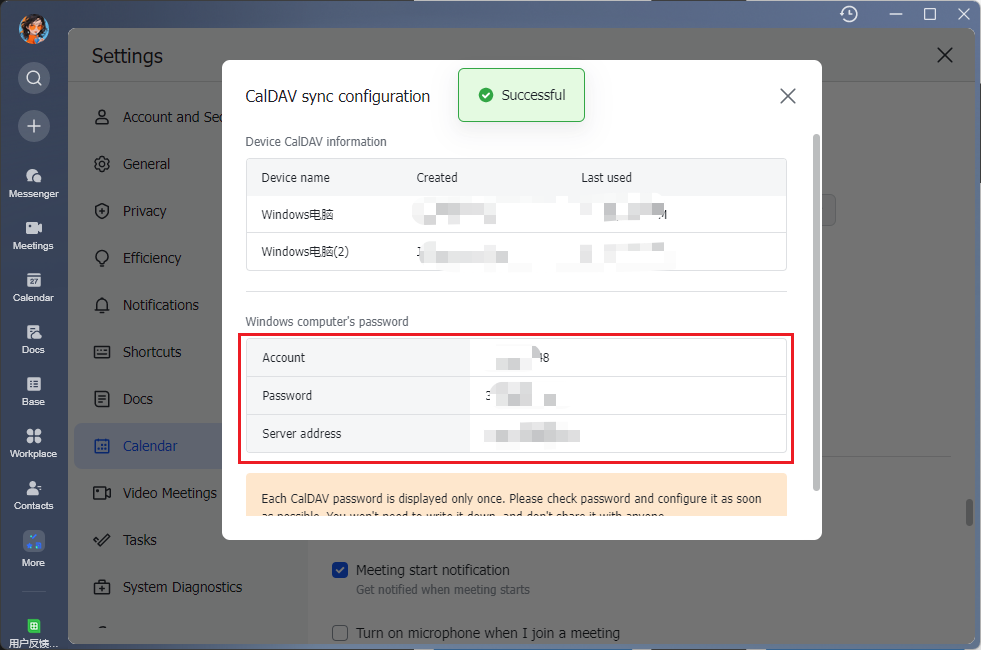
PC
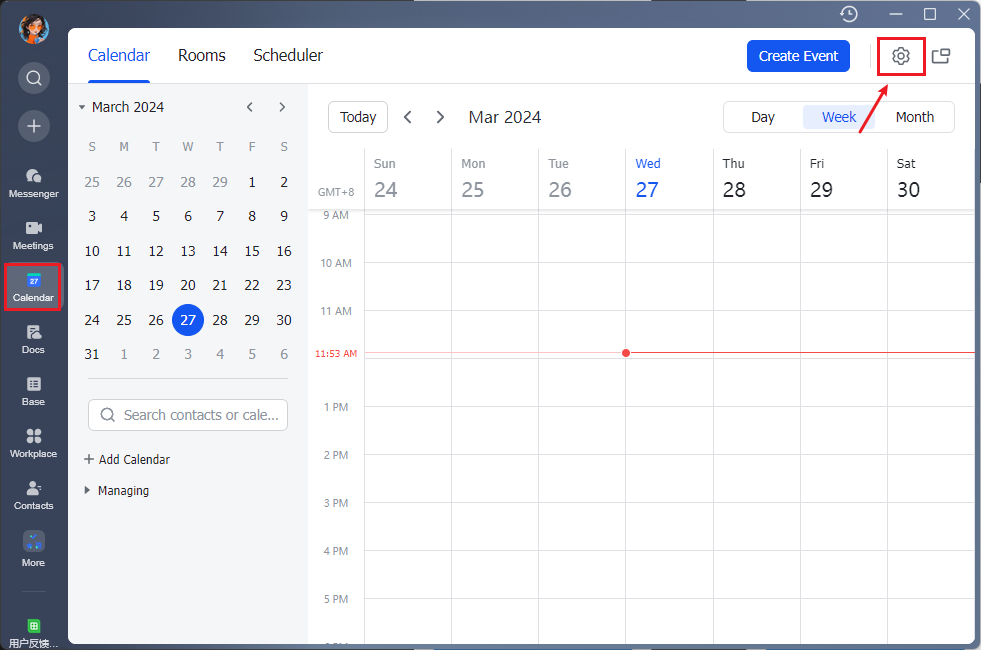
1. Switch to the schedule view and click "Settings" in the upper right corner.
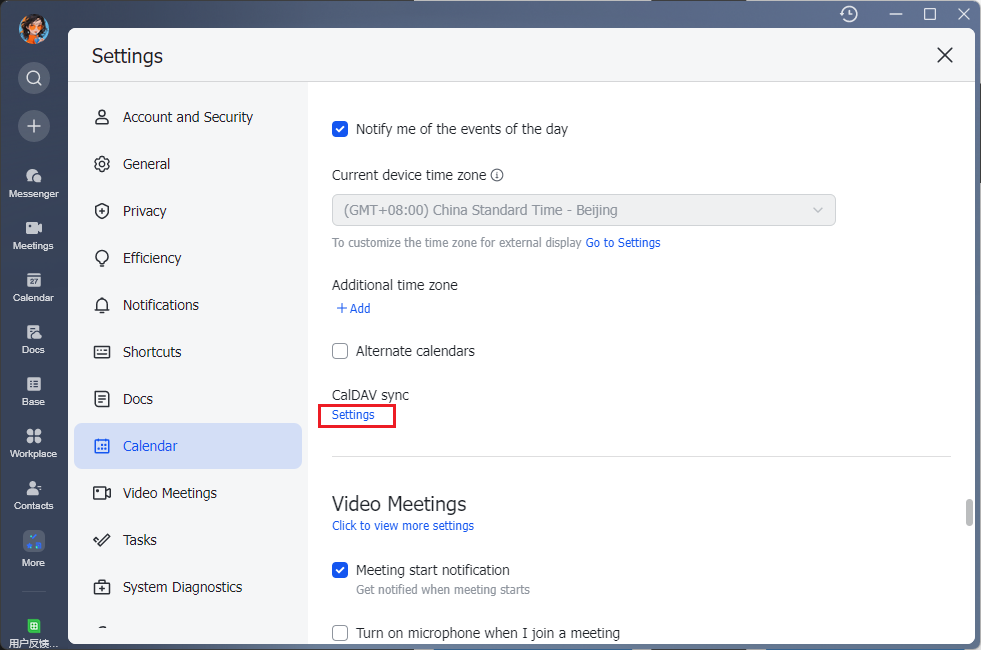
2. Scroll the mouse on the "Calendar Settings" page to find the "CalDAV Sync" and click "Enter Settings".
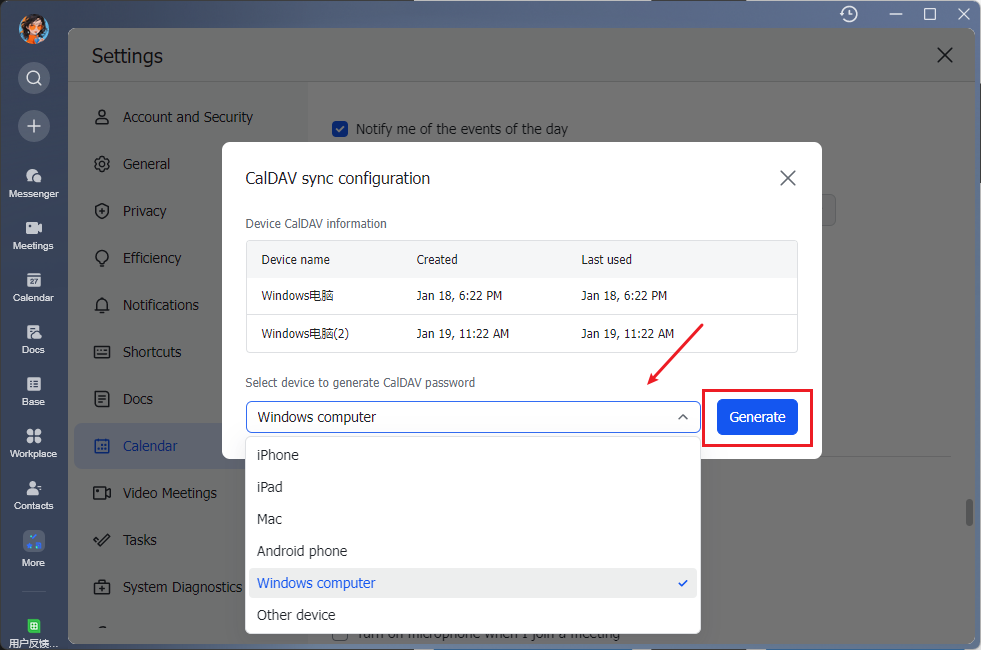
3. Select the corresponding device in the "CalDAV Sync" configuration window and click "Generate".
4. Record the generated username, password, and link for configuration.