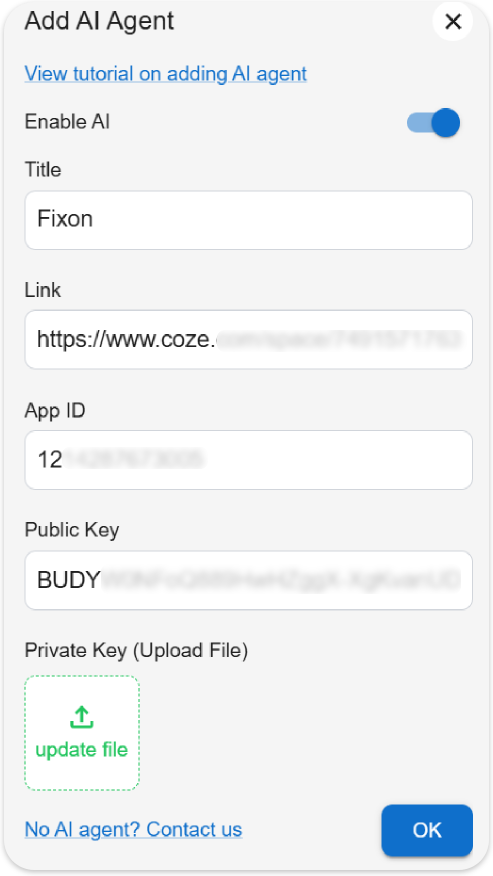
This tutorial is aimed at the coze intelligent agent.
Creat an OAuth App
Step1
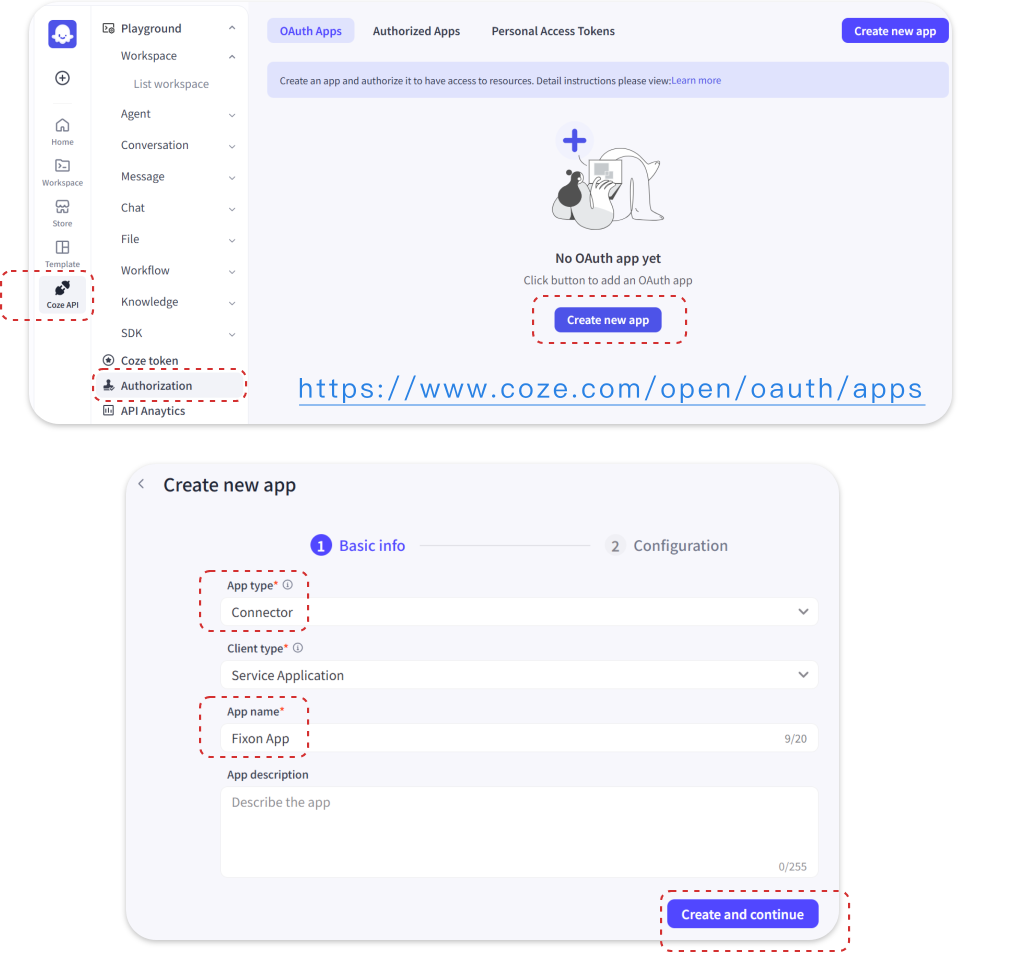
Go to the oauth app page to crate an Oauth APP. Select 【Connector]】as App type, input App name, then create.
Step2
Generate keys, configure permissions, and confirm.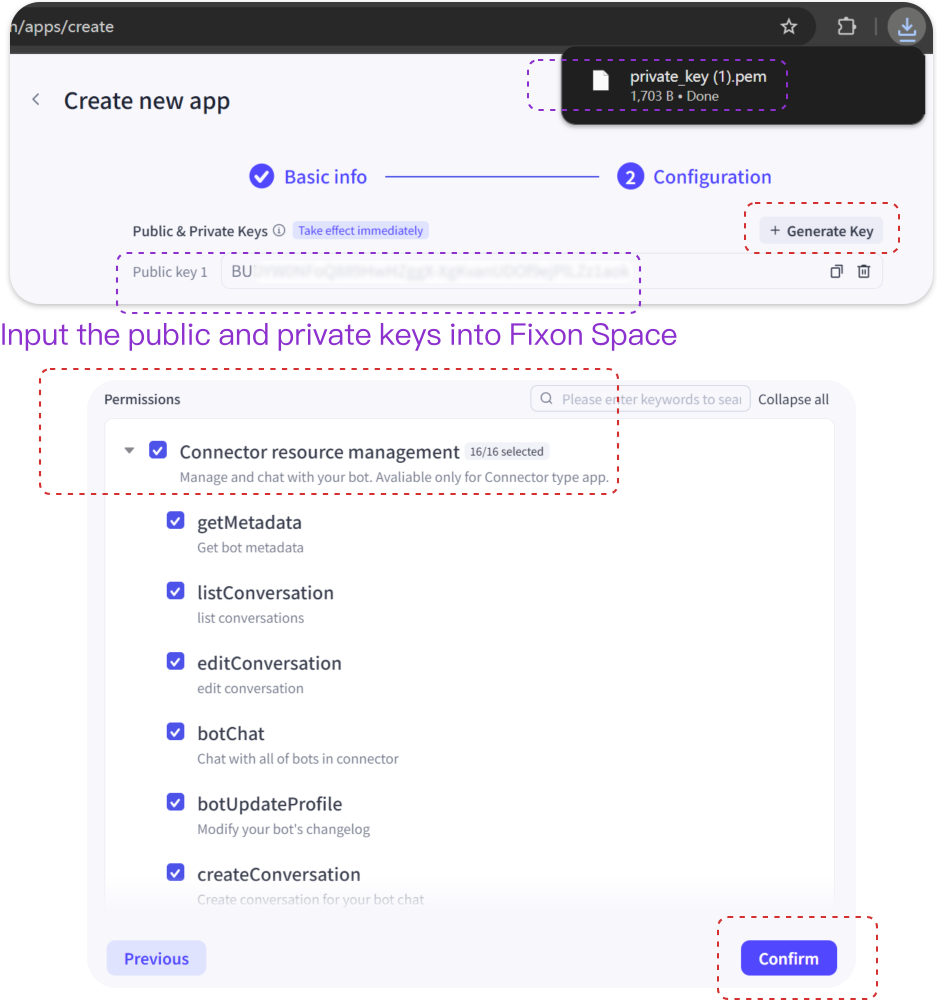
Step3
After authorization confirmation, the newly created application will appear.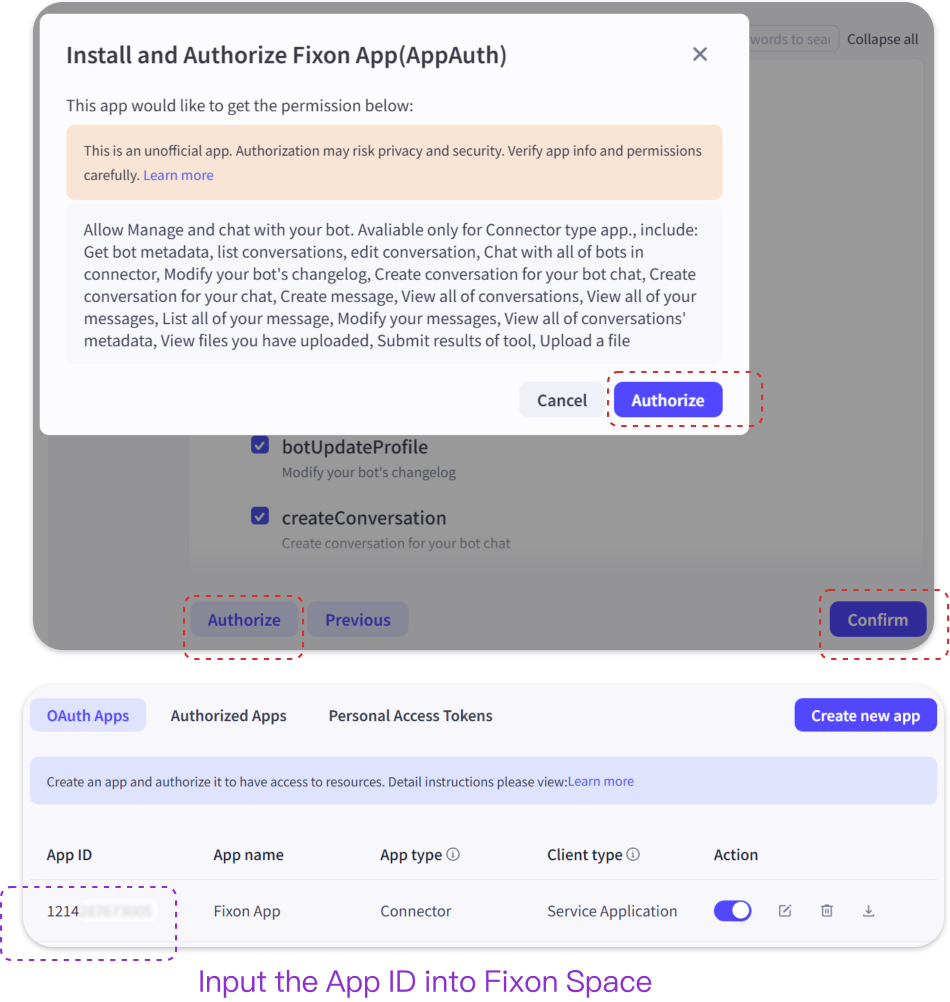
Add a Platform
Step1
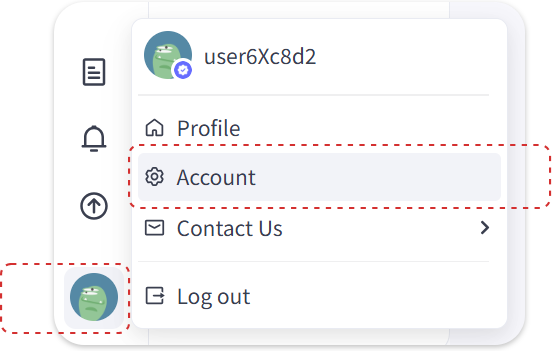
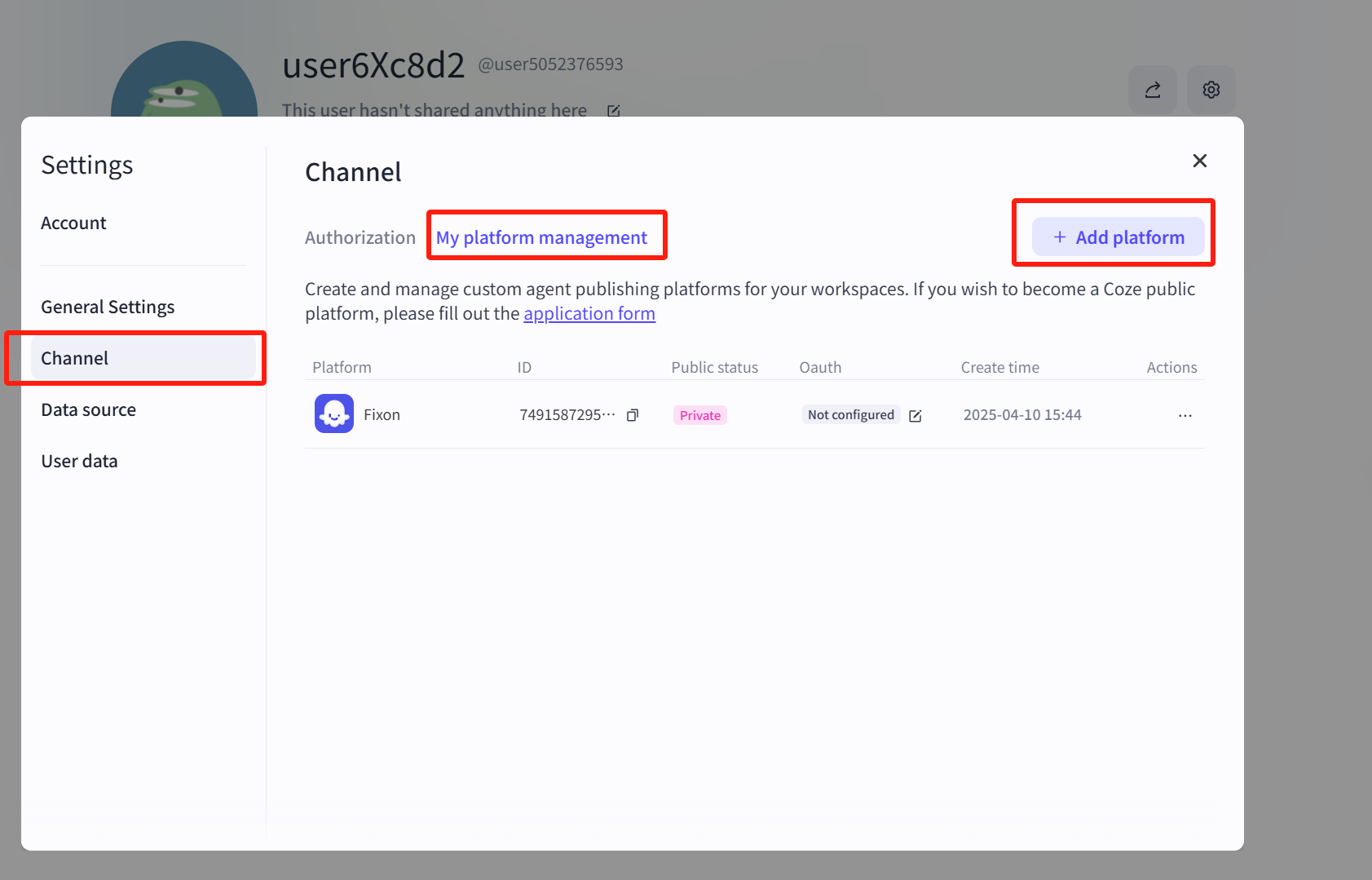
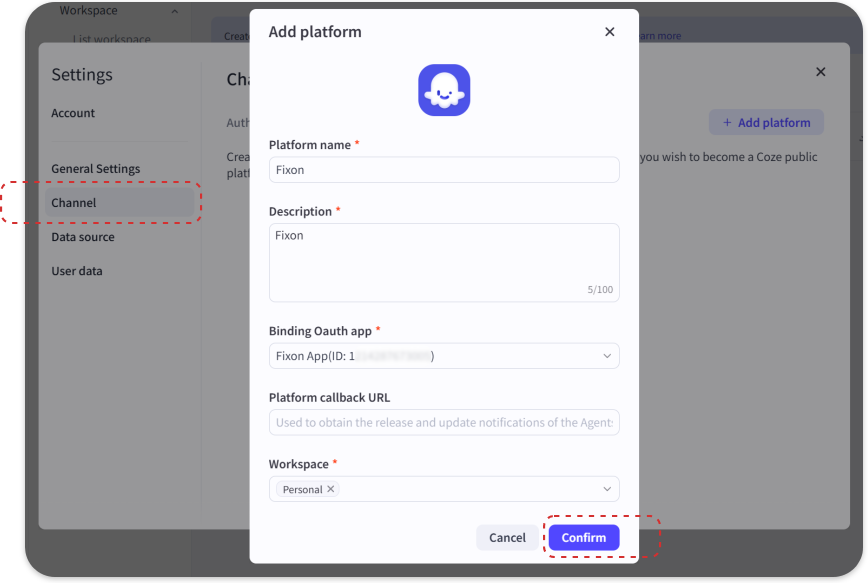
Click the profile icon in the bottom-left corner, select 【Account】, then choose 【Channel】 to add a platform.
Publish AI Agent to the platform
Step1
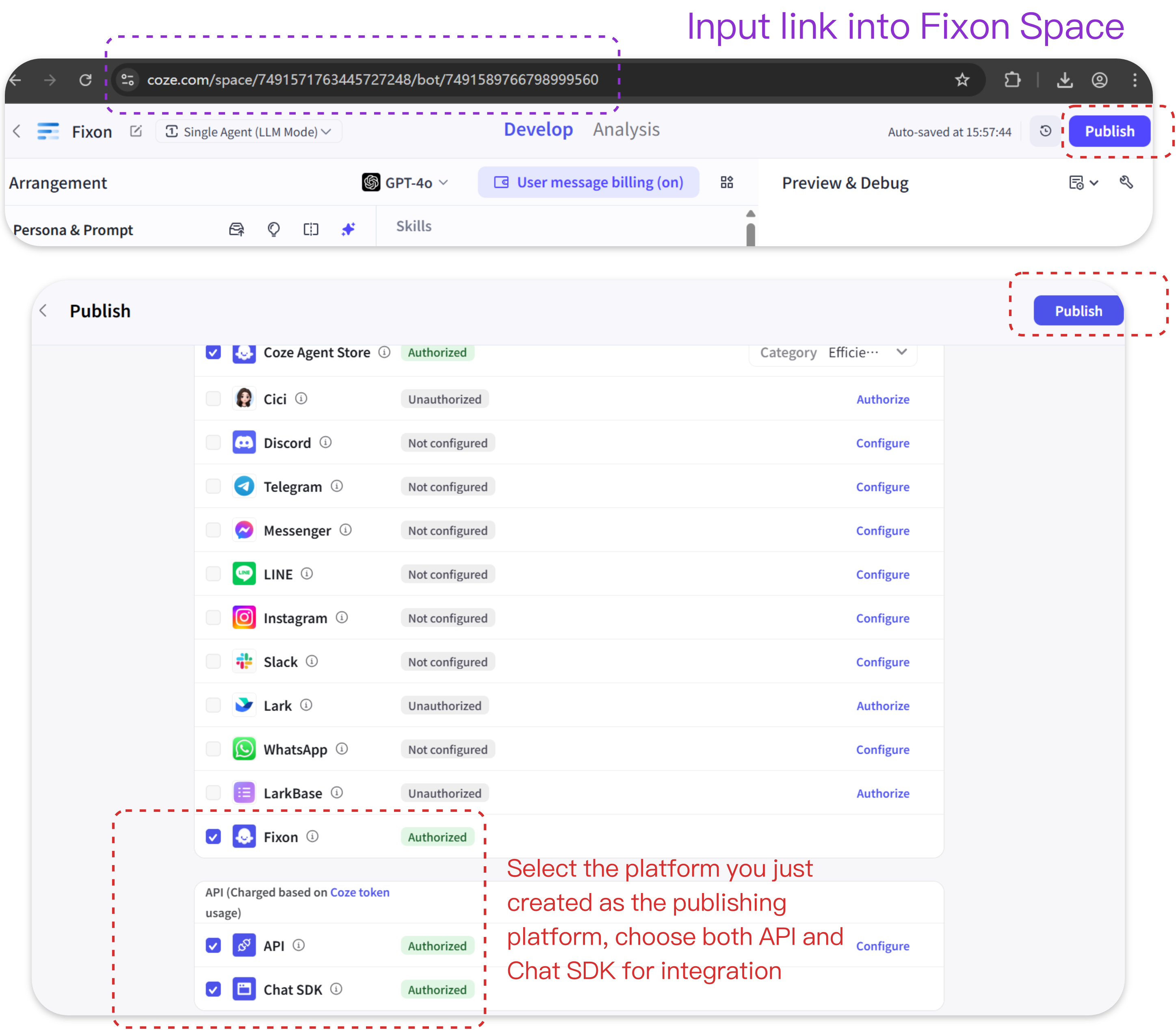
Navigate to your AI Agent's editing interface. Select the platform you just created as the publishing platform, choose both API and Chat SDK for integration, then click 【Publish】.
AI Agent addition completed
Follow the previous steps and enter the purple-labeled information into Fixon Space to complete agent registration. After populating all required fields, select 【Enable AI】and confirm. The AI Agent will be instantiated in your space.