Step 1: My Rooms
In B&B, click My Rooms to access the interface for adding and managing properties.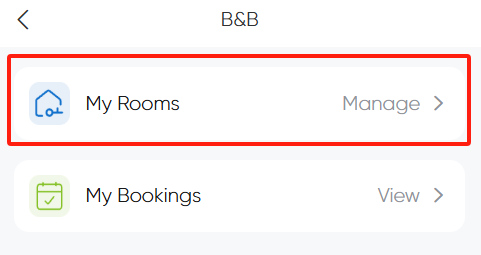
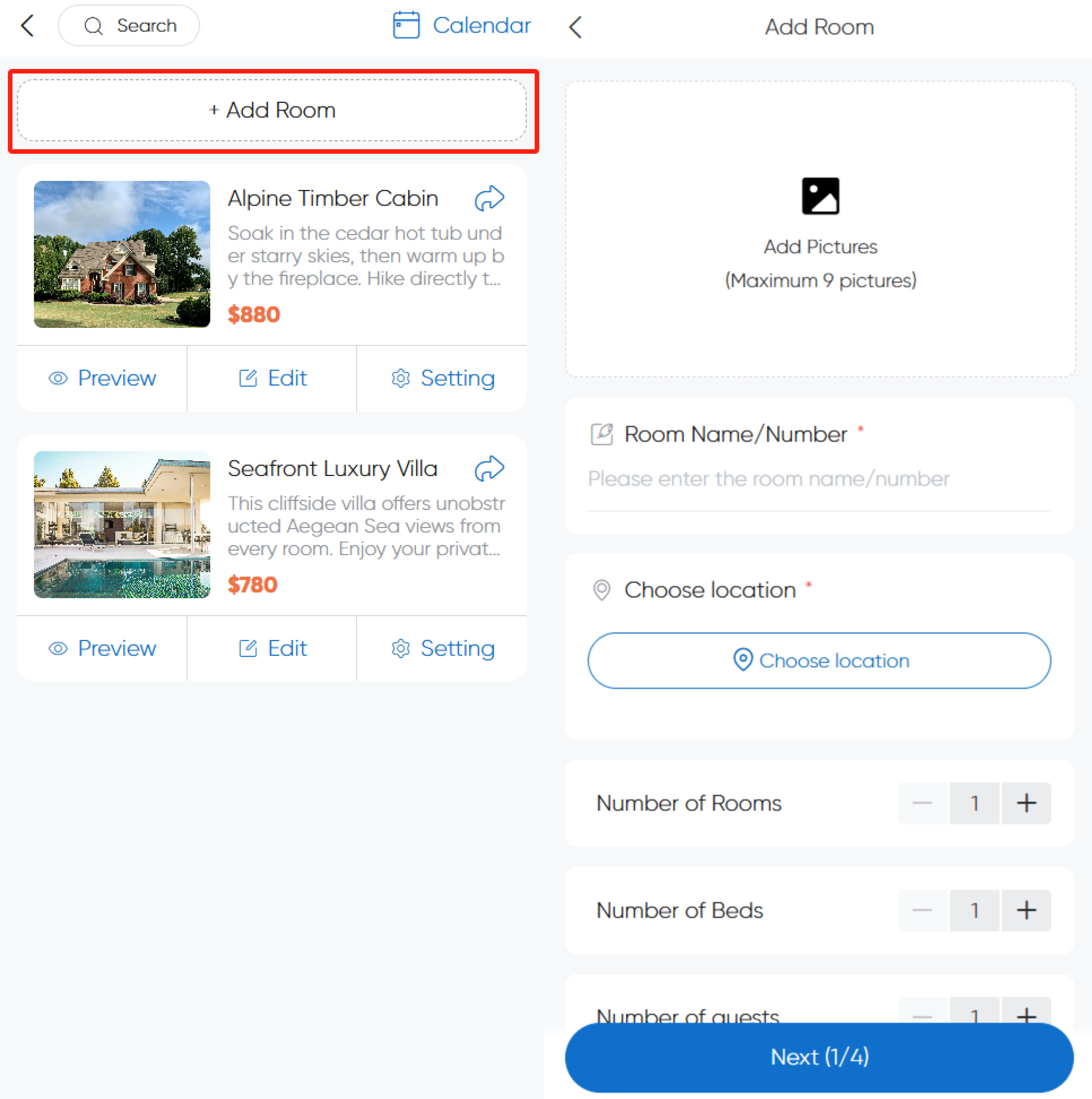
Step 2: Add a Room
Click Add Room and enter property details.
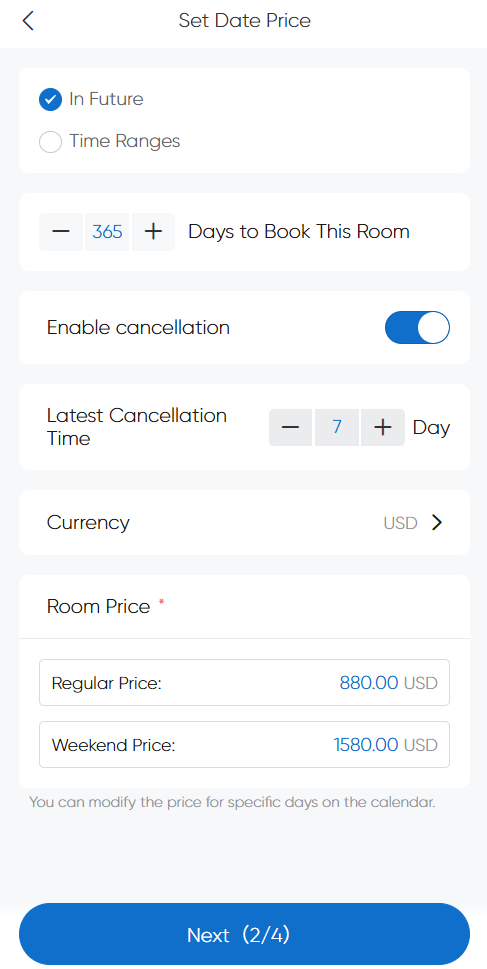
Step 3: Set Date Price
Configure date ranges, pricing, and cancellation policies.
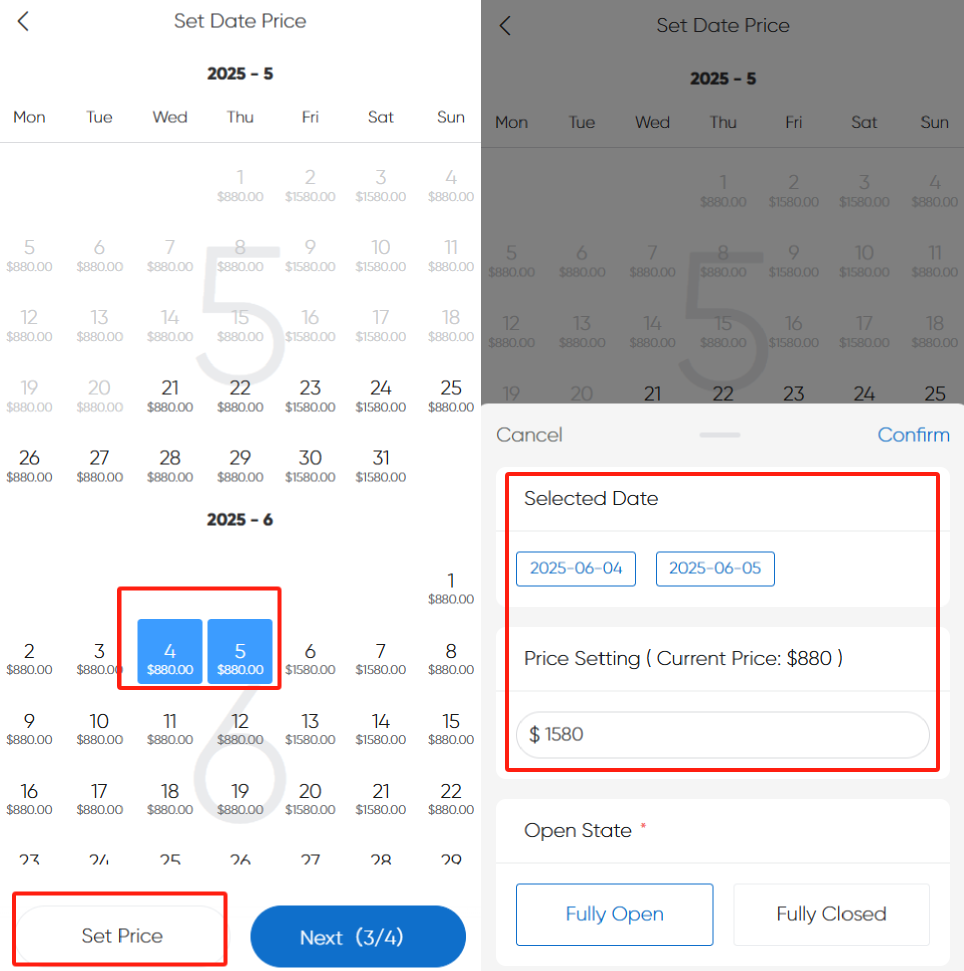
How to adjust prices for holidays/special dates?
Select the target dates, click Set Price, and input adjusted rates.
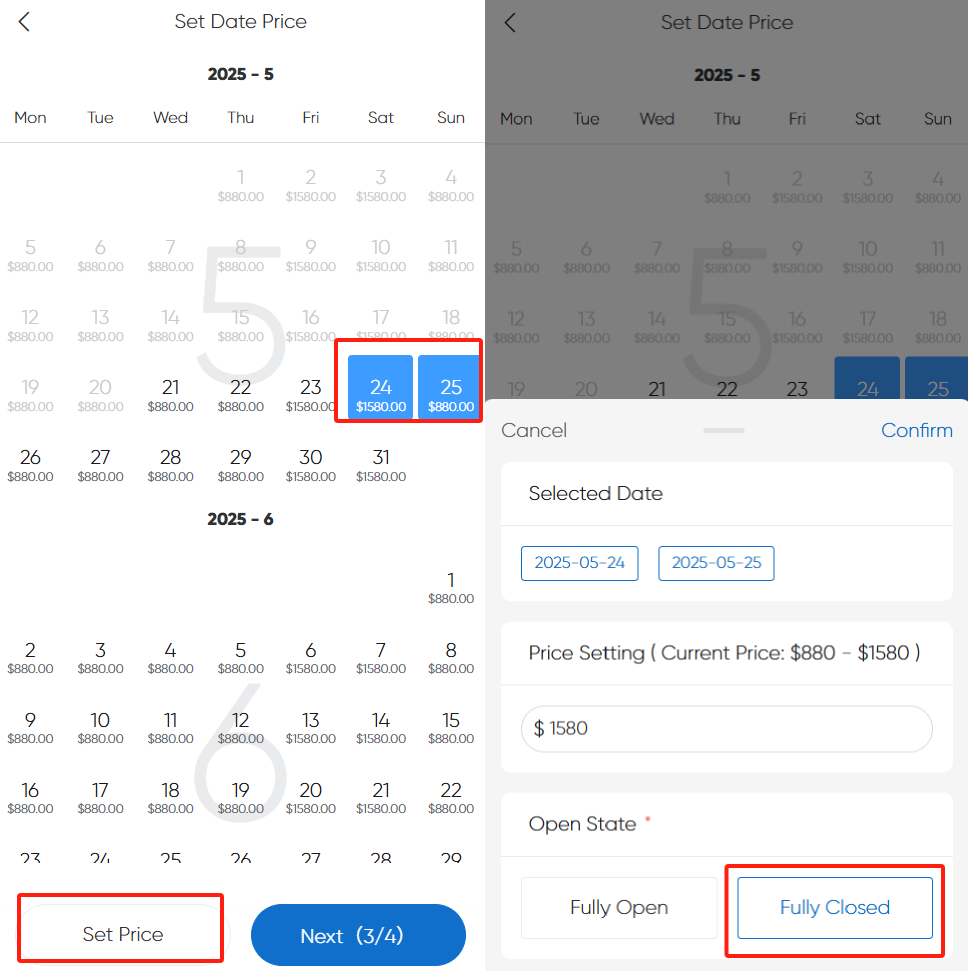
How to close dates booked elsewhere?
Choose pre-booked dates, click Set Price → Fully Closed to disable availability for selected dates.
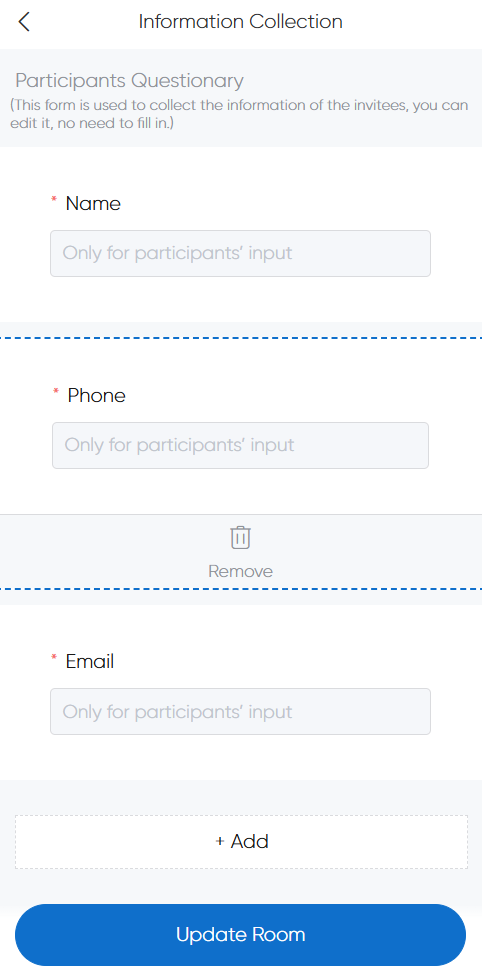
Step 4: Information Collection (Questionnaire)
Specify guest details to collect, which will be filled during booking.
Step 5: Complete Creation
Preview Listing
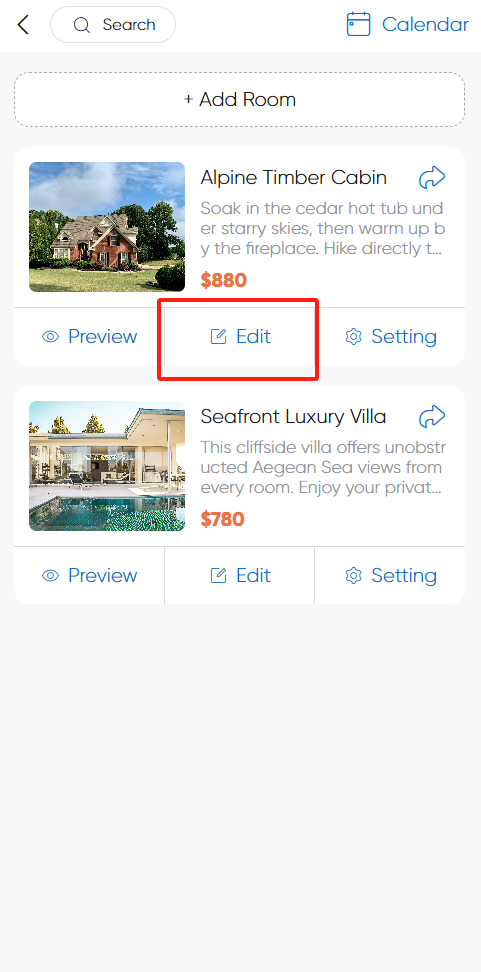
Click Preview to see how your listing appears to guests.
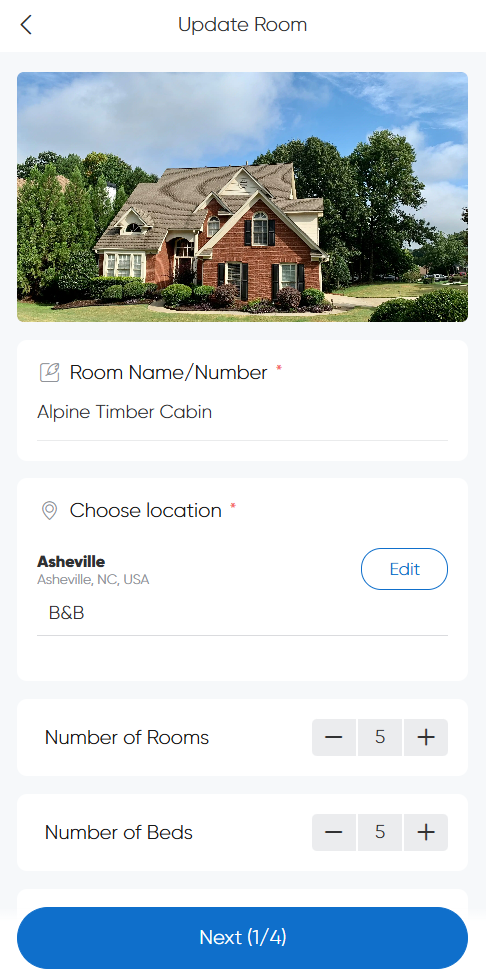
Edit Listing
Click Edit on the listing card to update property information.